
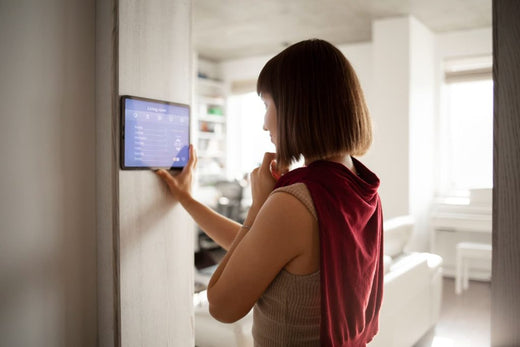
In this rapidly developing era of technology, smart homes are no longer an unreachable dream, but an ideal lifestyle pursued by an increasing number of families. Through the application of various smart devices, you can create a more efficient, comfortable, and secure smart living space.
This guide is suitable for homeowners, tech enthusiasts, and interior designers, helping you plan and implement your own smart home solution from scratch. Smart home devices, mobile apps, and various audio-visual entertainment equipment are all connected to the home's Wi-Fi 6 through smart systems and smart home setups. Whether you are new to smart technology or looking to enhance the functions of your existing home, this article will take you on a journey to explore the charm of smart homes.
Why choose to build a smart home solution?
Before diving into the actual operations, let's understand the main benefits of introducing a smart home:
Enhancing Life Efficiency
Smart devices can help you automate daily tasks, such as scheduling temperature adjustments and controlling lighting, allowing you to focus on more important matters.
Providing Security Assurance
Smart door locks, cameras, and alarm systems take home security a step further, allowing you to monitor your home via your phone at any time, even when you are away.
Energy Saving and Eco-friendliness
Smart thermostats and energy-saving equipment automatically adjust energy usage based on demand, effectively reducing unnecessary waste.
Improving Home Experience
Combining smart speakers, smart lighting, and home theater systems can bring you a more immersive entertainment experience.
Now, let's delve into how to build your exclusive smart home step by step.
How to build a smart home from scratch?
Step 1: Assess Needs and Space
Before you begin, ask yourself the following questions:
- Which daily challenges do you want to solve?
- Which rooms in your home do you want to make smart? (e.g., living room, bedroom, kitchen)
- What is your budget range?
For example, if you often forget to turn off the lights or are unsure about your air conditioning settings, you can prioritize smart lighting and smart temperature control systems.
Step 2: Choose the Right Smart Home Platform
The core of a smart home lies in the choice of platform. A good platform allows you to manage all your devices conveniently. Current mainstream platforms in the market include:
- Google Home: Supports most brands and has powerful voice assistant features.
- Amazon Alexa: Has a vast array of compatible products and is affordable.
- Apple HomeKit: Focuses on privacy and device stability, suitable for users in the Apple ecosystem.
When choosing a platform, you need to consider the compatibility of your existing devices to ensure that you won't face difficulties when expanding your smart devices in the future.
Step 3: Start with Core Smart Devices
To get started with a smart home, it is recommended to first purchase the following core devices:
Smart Speaker
Such as Google Nest or Amazon Echo, acting as a control center to help you integrate and manage other devices.
Smart Bulb
Brands like Philips Hue offer dimming and color-changing functions, and can also be controlled via phone or voice.
Smart Plugs and Switches
These make existing appliances like fans and coffee machines instantly smarter, and enable remote control.
These devices are not only affordable but also significantly enhance the smart home experience.
Step 4: Gradually Expand Your Devices
After the core devices are installed, you can gradually add the following smart devices according to your needs:
- Smart Thermostat: Such as the Nest Thermostat, which can learn your habits and automatically adjust the temperature.
- Home Security Equipment: Smart door locks and security cameras, such as the August Smart Lock and Arlo Pro, ensure your home is safe and worry-free.
- Smart Kitchen Appliances: Smart coffee machines, refrigerators, and dishwashers make cooking and chores easier.
- Smart Blinds: Control curtains with one click to adjust the amount of natural light entering.
Step 5: Strengthen Network and Connectivity
A stable network is the foundation for a smart home. Especially as the number of devices increases, it is recommended to adopt the following methods:
- Upgrade to a high-speed router to ensure signal coverage throughout the house.
- Use a Mesh Wi-Fi system to solve signal dead zones.
- Assign a dedicated network to devices (e.g., set up a 2.4GHz band) to improve communication efficiency.
Step 6: Optimize and Personalize Settings
The true value of smart devices lies in making your life more comfortable. You can:
- Set up automated scenes. For example, "Arrival Mode" automatically turns on the lights and plays soft music.
- Create voice commands, such as "Assistant, turn off the bedroom lights."
- Analyze device usage data through apps to further optimize energy utilization.
Creating a smart life is about more than just technology
The true meaning of a smart home is how it improves your daily life and emotional connections. Whether it's enjoying a classic movie with your family or increasing work efficiency to spend more time with your loved ones, these are things you can resonate with through a smart home.
Use the steps in this article to design your own smart home solution now. Planning a larger-scale smart upgrade for your home? Why not connect with our team of home design experts to help you tailor your own smart living space.
Enjoy the future, starting from today. Make your home smarter and more comfortable—contact the professional team at Linko Shop! Understand their services and the solutions needed for various smart home products. We will upgrade your smart life based on your actual needs!
#ElectricityCosts #Appliances #SmartSensors
Related Reading:
https://linko.shop/blogs/智能情報/smarthome-newbie-tutorial
https://linko.shop/blogs/智能情報/智能家居-一遙控掌握全屋家電-control-4-halo-touch-remote六大功能-全新touch-screen介面
https://linko.shop/blogs/智能情報/香港本地兩大系統整合公司usub雲斯及linko-smart強勢聯手-提供創新高效的智能家居方案
https://linko.shop/blogs/智能情報
https://linko.shop/blogs/智能情報/輕鬆打造您的智慧家庭樂園-yeelight-pro-s20-藍牙網關
Related Keywords:
Smart Home|Smart Home Solution|Smart Life|Smart Home System|Smart Sensor|smart home|Mobile App|Electricity Expenses|Smart Device|Smart Plug
FAQs
Should I choose Google Home, Alexa, or HomeKit for my smart home platform?
Google Home supports many brands and has a strong voice assistant; Amazon Alexa has numerous compatible products and is affordable; Apple HomeKit focuses on privacy and stability, making it suitable for Apple users. Consider the compatibility of existing devices before choosing.
What devices should a smart home beginner purchase first?
It is recommended to start with smart speakers, smart bulbs, and smart plugs/switches, as they are affordable and have significant effects. You can then gradually add thermostats, door locks, curtains, and other equipment.
How should I prepare my home Wi-Fi to support a smart home?
As the number of devices increases, network stability is crucial. It is recommended to upgrade to a high-speed router, use a Mesh Wi-Fi system to eliminate dead zones, and assign devices to the 2.4GHz frequency band. LINKO Shop (linko.shop) has various smart home products in stock, all genuine Hong Kong products.
